QR code on a shop window or door sticker
Rex Lexington Labs · Updated November 21, 2026
Quick answer
Glass is hard on QR codes. Most failures come from the sticker, not the code: mirrored artwork, a see-through backing, glare, or a code that's too small. Fix those, and use a changeable code so you don't re-order the sticker when your hours or offer change.
Install checklist
1. Decide which side people read from. Many storefront stickers are mounted inside the glass and read from the sidewalk. Then the artwork must be reverse printed so it reads correctly through the glass. A normal code mounted that way appears mirrored and many cameras won't decode it (QR Code Handbook). Tell the printer which side it mounts on and which side it's read from, and ask for a small proof.
2. Put white behind it. Clear film with a see-through background lets shelves, lights, and the dark shop show through the squares. Use an opaque white backing behind the code and its margin (QR Code Handbook, KaiQR).
3. Tame glare. Use a matte finish and avoid the pane's strongest reflection. Tinted or coated glass darkens the code, so tape a paper test print to your actual window first (KaiQR).
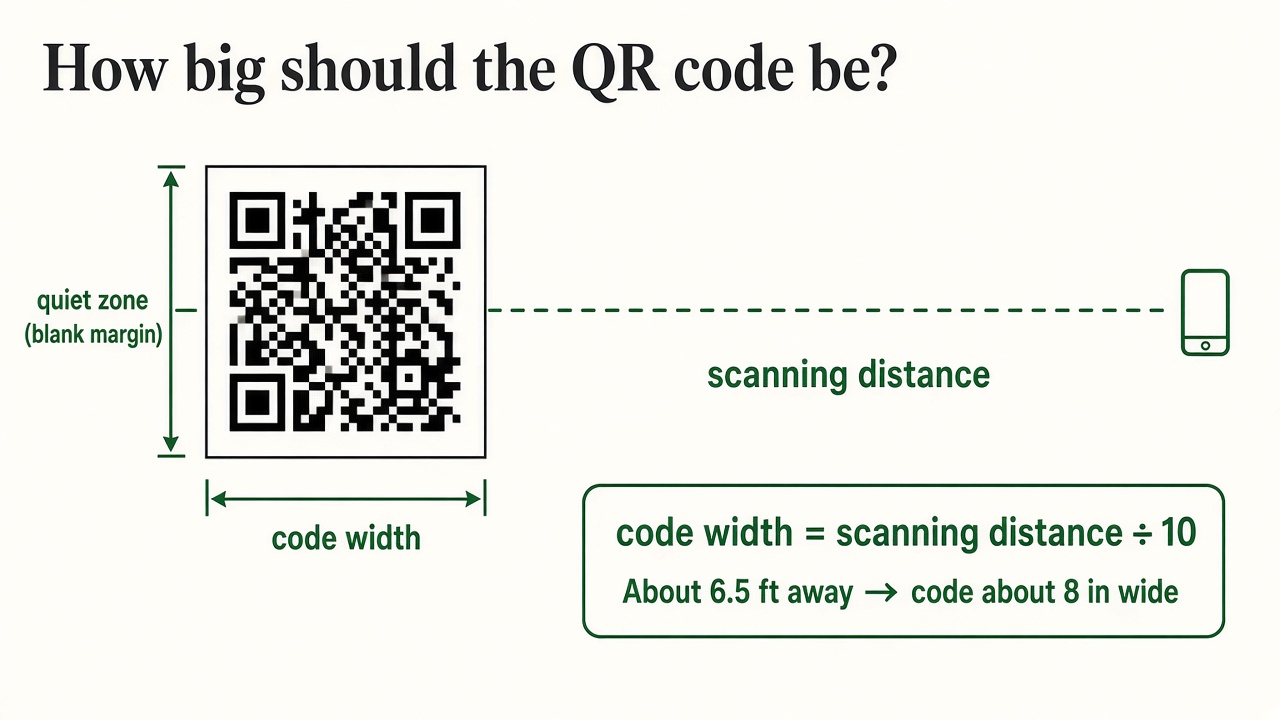
4. Size and height. People scan a window from about 1 to 3 feet. A code 3 to 4 inches (8 to 10 cm) is enough at that range, and 4 to 6 inches gives margin for glare and older phones. Center it about 48 to 60 inches (120 to 150 cm) above the sidewalk (KaiQR). If a planter or step keeps people back, use the distance-divided-by-10 rule (FreeQR).
5. Test at noon, dusk, and after dark on an iPhone and an Android phone. At night a dark shop can make the code unreadable unless it's lit (KaiQR).
Why make it changeable
Scenario (illustrative): A door sticker says "Scan for hours and online ordering." In December it should open holiday hours, in January regular hours, during a renovation "order online." A dynamic code keeps one sticker; the destination follows the season.
Wi-Fi codes are a different thing
A code that joins guests to Wi-Fi holds the network name and password directly and isn't a web link. Rex QR forwards to web pages, so it isn't the tool for that. Use it for a page like hours, a menu, or a hiring form.
Set it up with Rex QR
- Create the code at qr.rexlinc.com; download the SVG.
- Give your printer the SVG with mount side, read side, and white backing spelled out.
- Proof, install, and scan it at the three times above.
- Change the destination when the message changes. You can also pause the code from the dashboard.
Questions
Can the code be on the outside of the glass instead? Yes. It reads normally, but weather and cleaning wear it faster (QR Code Handbook).
One sticker for inside and outside readers? Use two codes, or an opaque panel with a separate face on each side.