How to change a QR code after printing
Rex Lexington Labs · Updated November 21, 2026
Short answer
You can change where a printed QR code goes only if it holds a short address that you control, not the final website. That kind is called a dynamic code. A static code has the final address built into the pattern; if that address changes, the only fix is a new code.
See the difference
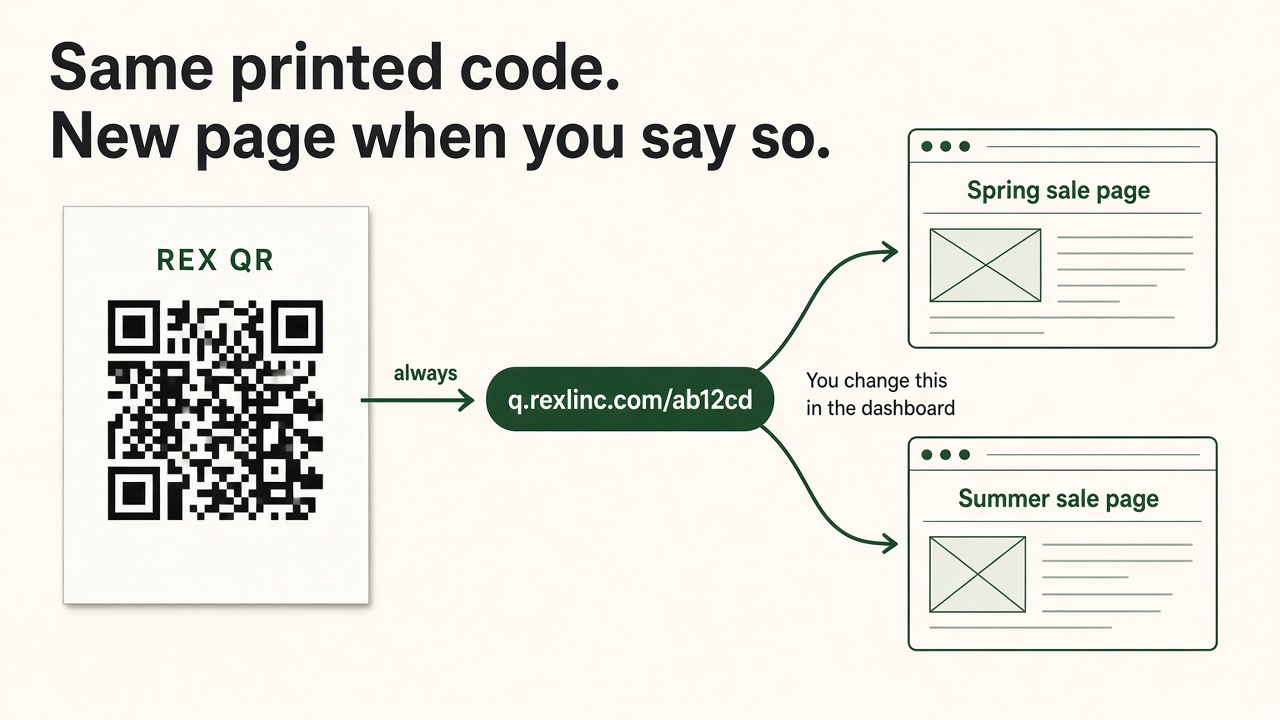
You print 500 flyers for a spring sale at yourshop.com/spring-sale. The sale ends and you want the same flyers to open the summer page.
- Static code: the squares contain
yourshop.com/spring-sale. Phones keep opening it, or show an error. The ink can't be edited. - Dynamic code: the squares contain something like
q.rexlinc.com/ab12cd. That short address stays the same forever, and it forwards to whatever page you've picked. When the spring sale ends, you log in and change the destination to the summer page. The printed flyers don't change, but they now open the summer page. Nothing switches on its own; you make the change when you're ready.
QR Code Generator by Bitly's help center describes the same split: dynamic codes use a short address and can be edited after printing; static codes hold the content directly and can't be (their explanation).
Which one did you print?
- Scan the code with a camera app that shows the address before opening.
- If it starts with your own website, it's static. You can't change the code, though you can change the page at that address.
- If it starts with a short address you don't own (like
q.rexlinc.com,bit.ly, orqrco.de), it's a redirect. You can only edit it inside the account that created it.
Change it with Rex QR
- Sign in at qr.rexlinc.com and open the code.
- Paste the new web address and save.
- Scan again. Same printed squares, new page.
You don't need new artwork unless you want to change how the code looks.
Try it first, no account: the homepage has a live demo code. Scan it, change the destination in the box beside it, and scan again. There's also a short video of the same steps.
What you can't change after printing
- The look of the code (colors, shape, a logo in the middle).
- A static code whose address you don't control.
- A dynamic code you no longer have access to. See why codes stop working.
Questions
Does the new page have to be on the same website? No. It can be any normal web address.
Is there a delay? After you save, the next scan opens the new page.
What if I only have the printed code and no account? Then you can't edit it. A dynamic code can only be changed in the account that made it, and that's true of any service.