QR code for a food truck
Rex Lexington Labs · Updated November 21, 2026
Quick answer
A food truck's useful link changes constantly: today's menu, tonight's location, the ordering app. Print one code that points at a single page you control, or at a changeable short link, so the truck window never needs reprinting.
A week on the truck
Scenario (illustrative): Monday to Thursday the code should open the regular menu. Friday it should open the festival special. Saturday it should open the preorder page. The window cling and the menu board are printed once.
Two ways to do that:
- One page you edit. The code points to a simple page (even a link page) and you change what's on it. No QR service needed if the page address never changes.
- A changeable code. The code points to a short address and you change where that address goes. Useful when the destinations are different websites (a PDF host this week, an ordering service next week).
Use one code, not four
A market-booth guide notes that shoppers scan the first code they see, and recommends one code to a link page rather than several codes on one sign. A typical link page keeps four or five choices: pay, preorder, this week's menu, follow, and your market days (KaiQR market-booth guide, a QR vendor).
If you take payments by Venmo, Cash App, PayPal, or Square, each app makes its own payment code tied to your account. You can print that code directly, or add a Pay button on your link page that opens the same payment link (KaiQR).
Signal and weather
Phones at events and parking lots often have weak signal, and crowds make it worse. Don't depend on the code alone: print the web address or handle in plain text under it, and keep some cash on hand in case there's no signal (KaiQR). Use matte coating; gloss reflects sun into the camera.
Size
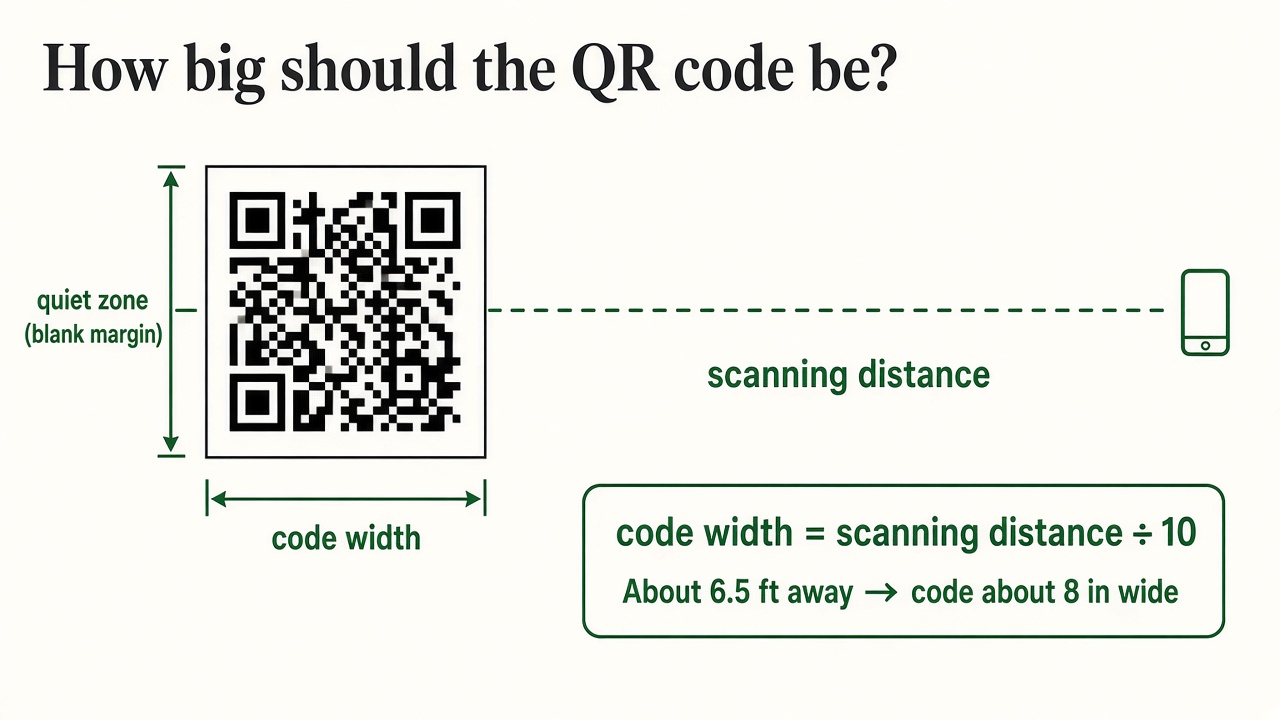
A code on the front of a counter is scanned from 2 to 4 feet away. A common recommendation is at least 4 inches (10 cm) wide with a clear margin (KaiQR), consistent with the distance-divided-by-10 rule in FreeQR's guide.
Set it up with Rex QR
- Decide the default page (menu or link page).
- Create the code at qr.rexlinc.com; download the SVG.
- Proof a cling in direct sun.
- For a special weekend, change the destination and change it back after.
Questions
Do I need a website? You need a page to point to. A simple page or a PDF link is enough.
Can the code open my ordering app? It opens any normal web address, including an ordering page. It won't open an app that has no web address.