QR code for a yard sign
Rex Lexington Labs · Updated November 21, 2026
Quick answer
If the same sign will point at more than one page over its life (a listing, then "under contract," then the next open house), use a dynamic QR code so you can change the page without replacing the sign. If the sign is single-use and the page will never move, a plain static code is fine and free.
The situation
A yard sign is the opposite of a web page: the sign stays in the ground for weeks or years, and the page it should point to changes whenever a listing changes.
Scenario (illustrative, not a customer story): An agent orders a "For Sale" sign with a QR code that opens the listing page. The house goes under contract. The sign is still good and the agent wants it to send people to a "see similar homes" page. With a static code, the listing address is baked into the squares, so the options are a new sign or a sticker over the old code. With a dynamic code, the squares hold a short address and the agent changes where that address points.
How big should it be?
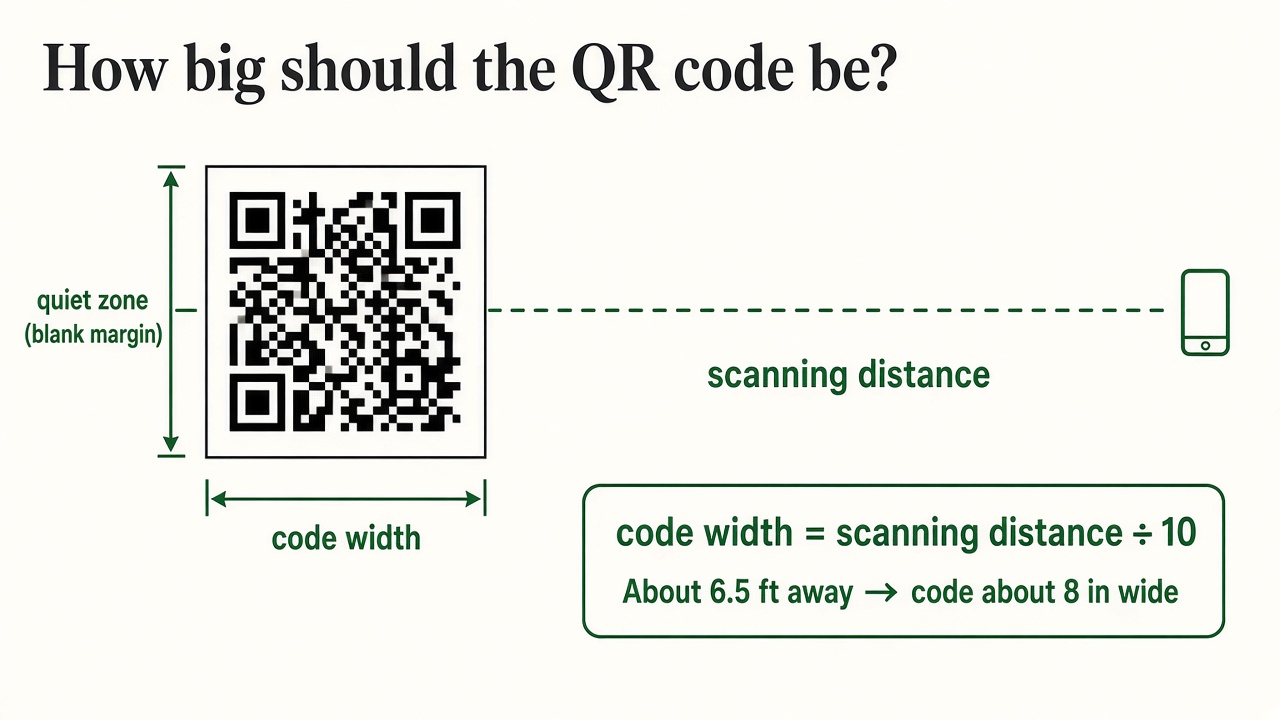
The common rule is scanning distance divided by 10 (FreeQR size guide, Bitly). Someone reading a sign from about 6.5 feet (2 meters) needs a code about 8 inches (20 cm) wide. Leave a blank margin of at least four squares on every side, print dark on light, and avoid glossy finishes that reflect sunlight (Uniqode printing guide).
Yard sign printers say adding a QR usually doesn't raise the sign price much; the board and print are the cost (YardSigns.com).
What it costs when it's wrong
A replacement sign panel or vinyl banner is often quoted in the roughly $80 to $300 range (Modifyle guide, a QR vendor, so treat the range as an estimate). Check your own sign invoice for the real number.
Static or dynamic?
| Your sign | Use |
|---|---|
| One listing, link you control and will never change | Static is enough |
| Frame reused across listings | Dynamic |
| Open house dates and virtual tours that change | Dynamic |
| You want to know whether people scan it | Dynamic (static codes can't count scans) |
Set it up with Rex QR
- Make a free code at qr.rexlinc.com and paste the listing page.
- Download the SVG file and send it to your sign printer.
- Print one proof at full size and scan it with two phones, outdoors.
- When the listing changes, edit the destination. The sign stays.
Want to see the "change it after printing" step first? The homepage has a short video and a live demo code you can scan.
Questions
Can I change the code after the sign is printed? Only if it was a dynamic code. Check by scanning it: if the address starts with your own website, it's static.
Does the sign need the web address printed too? It helps. Some people prefer typing, and a printed address is a fallback if the code gets dirty or damaged.
What happens if I stop paying? Rex QR's free plan keeps working. See the plan details on the homepage, and our Terms promise 30 days' notice if the service ever shuts down.