Why did my QR code stop working?
Rex Lexington Labs · Updated November 21, 2026
Short answer
The printed squares don't expire. Something in the chain broke. It's usually one of three things, and you can tell which in a couple of minutes.
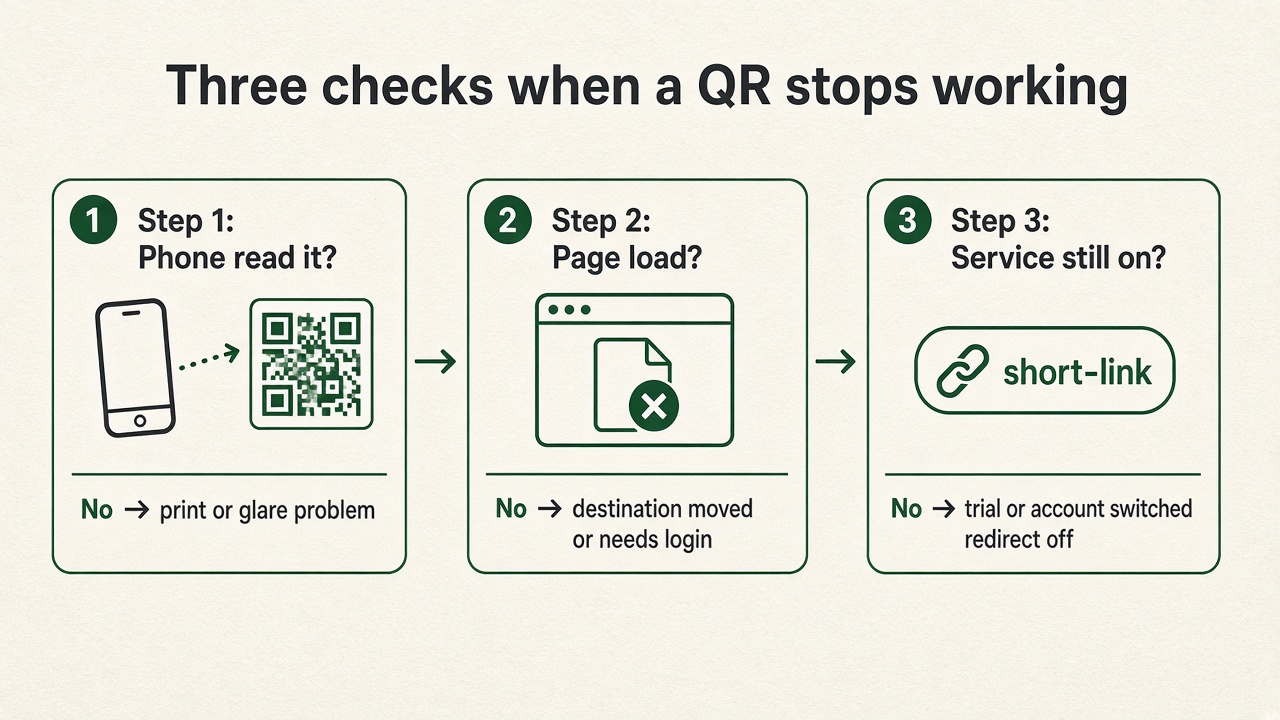
Step 1: Does the phone read the code at all?
If the camera never shows a link:
- The code is too small, low in contrast, wrinkled, or cropped too close.
- Glare or poor light is hiding it.
This is a print problem. A clearer, larger reprint fixes it, and it has nothing to do with any subscription.
Step 2: It reads, but the page shows an error
If the phone shows an address and then fails:
- The page moved or was deleted.
- The page needs a login.
- A file (like a PDF menu) was removed from storage.
Open that address directly in a private browser window on mobile data. If it fails there too, fix the page. If the code is a changeable one you still control, you can also point it at a different page.
Step 3: A service turned off the redirect
Some codes hold a short address on a company's server. If the company switches that address off, the code lands on a service page instead of your page. This is documented, not rumor.
Documented example: QR Code Generator by Bitly says dynamic codes created during its 14-day free trial are deactivated when the trial ends, and scans then reach a service page. Static codes keep working. To restore dynamic codes you upgrade the original account; creating a new account or a new code with the same content doesn't bring the old printed code back (deactivation, reactivation).
Other services differ. For comparison, Bitly's help says Bitly QR codes don't expire unless you delete them or the short link behind them (Bitly). Always read the rules for the plan you used. A plain-language walkthrough of this pattern is at Scanstone.
Scenario (illustrative): A café prints 40 table tents with a trial code. On day 15 guests scan and see an upgrade page. The tents are fine; the redirect was switched off.
What Rex QR does
- Free plan: 3 active codes, and printed codes keep redirecting. If a free account passes 500 detailed scan records in a month, scans still redirect; we pause the detailed log.
- Paid plans cancel from the billing page.
- Our Terms promise 30 days' notice if the service ever shuts down.
Any short-link service depends on its servers staying up. The thing to check before you print is what happens to existing codes if you stay on free or cancel.
Before the next print run
- Scan a proof and read the address it opens.
- Read the provider's trial and cancellation rules.
- Test the destination without signing in.
- Keep the login for the account that owns the short link.